
Screenshots
App details
- Updated
- Dec 30, 2011
- Language
- English
- Developer
- VideoCharge Software
- Category
- Mobile
SoftPas in:
This product is also available in the following languages:
About Videocharge Studio
Download Videocharge Studio – Video Editing, Conversion, Thumbnail Creation
Overview
Videocharge Studio is a multifunctional mobile application tailored for users seeking efficient video editing and file conversion capabilities. Designed with a focus on versatility and ease of use, the app enables users to manage, edit, and organize multimedia content directly from their smartphones. Its primary purpose lies in simplifying the creation and preparation of video files for various platforms, from social media to personal galleries. The app addresses common challenges such as format incompatibility, inefficient file management, and the need for visually appealing thumbnails to enhance content presentation.
Target users include content creators, digital marketers, educators, and individuals who regularly handle video files. Whether compiling short clips for online sharing or preparing a video portfolio, Videocharge Studio offers tools that support both casual and professional workflows. The application’s integration of video editing, conversion, and gallery creation within a single interface reduces the need for multiple tools, streamlining the content production process.
Although the developer did not provide additional technical details about their background or company history, the app’s long-standing presence since its release on December 30, 2011, suggests a stable and enduring product. Its continued relevance in the multimedia space highlights its role in the broader mobile app ecosystem, particularly for users who prioritize functionality and workflow efficiency over flashy design.
Key Features & Functionality
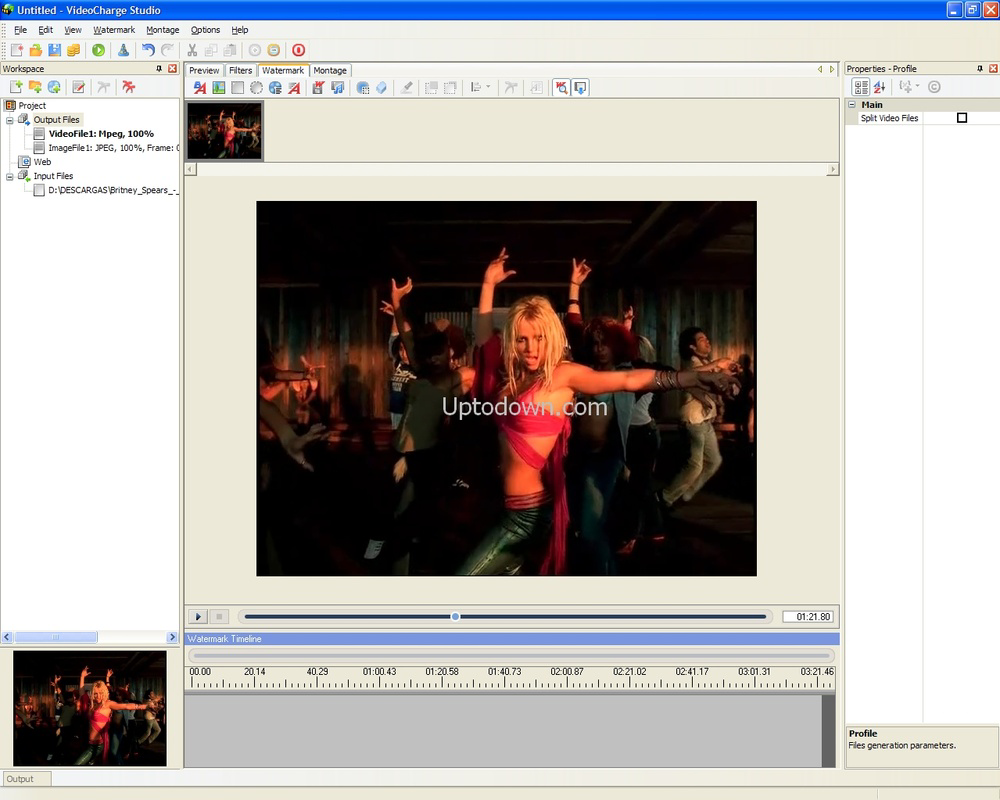
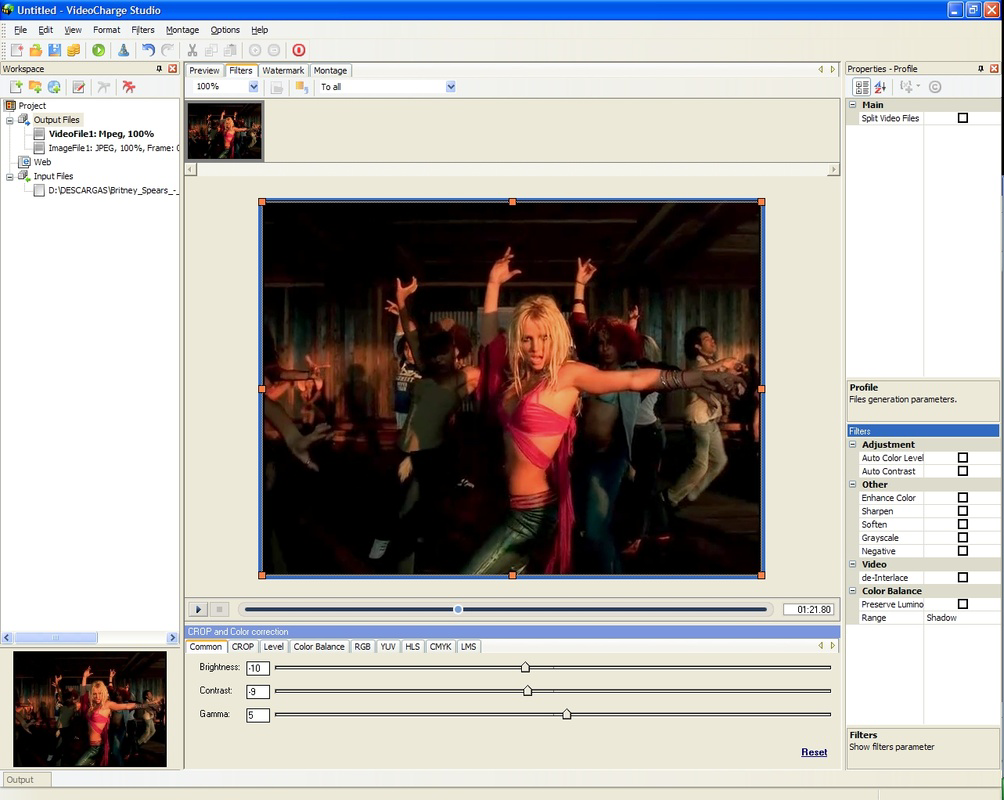
- Video Conversion Support: The app supports multiple video formats including AVI, WMV, MPEG, and others, enabling users to convert files for compatibility across devices and platforms. Users can adjust frame size, apply filters, and edit audio tracks directly within the app.
- Thumbnail Generation: Videocharge Studio allows users to create custom graphic thumbnails for each video clip, improving visual consistency and making content easier to identify and showcase in digital galleries.
- Video Gallery Management: The application enables users to build organized video and graphic galleries. It can generate HTML pages for these collections and offers the option to upload them via FTP, facilitating easy sharing and web publishing.
- Customizable Output Formats: With support for a wide range of output formats, users can tailor video exports to specific needs—whether for high-quality playback or mobile optimization.
- Guided User Assistant: An integrated assistant walks users through five core tasks, helping beginners navigate the app while still offering advanced controls for experienced users, enhancing overall productivity.
For example, a social media manager could use the app to convert a series of promotional clips into mobile-friendly formats, generate consistent thumbnails, and compile them into a web-accessible gallery. Similarly, a teacher preparing video lessons might use the tool to compress large files for easier distribution and create a dedicated video library with embedded descriptions.
Interface, UX & Performance
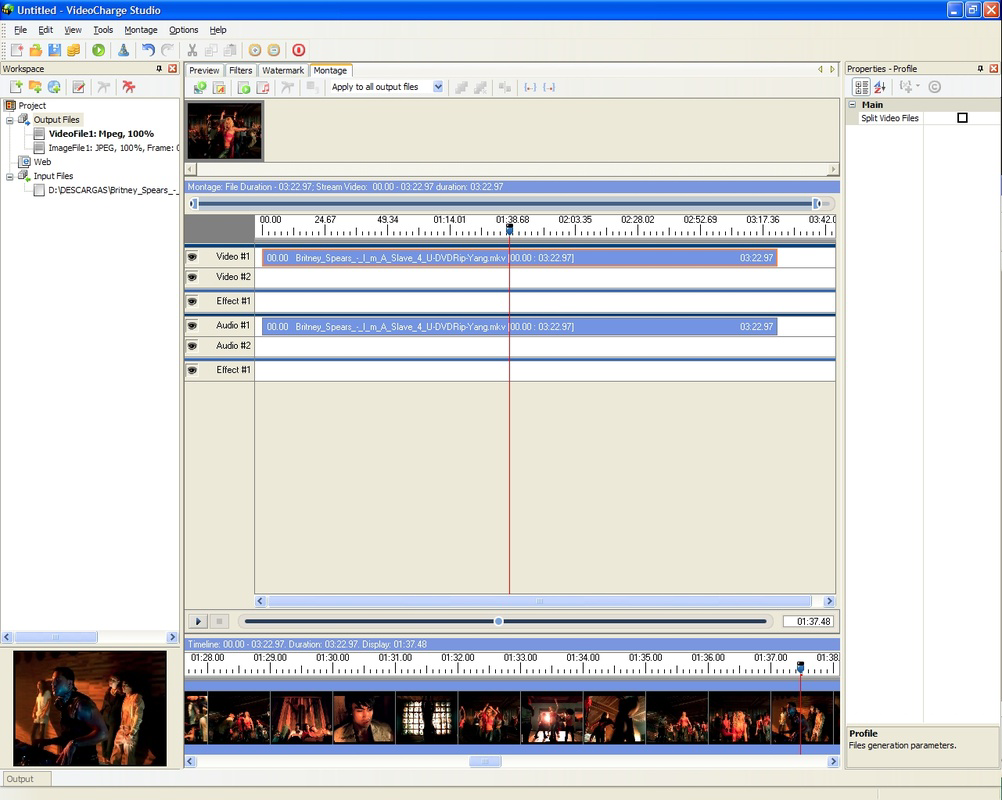
Videocharge Studio features a clean, organized interface that groups tools into logical sections, promoting intuitive navigation. The visual layout emphasizes functionality over aesthetics, making it easy for users to locate key features such as conversion settings, thumbnail editors, and gallery builders. The app’s navigation flow is linear and predictable, reducing the learning curve for new users.
Although the developer did not list formal performance metrics, the app’s design suggests responsiveness across mid-range and high-end devices. Users can expect stable operation during basic editing tasks and file conversions, though performance may vary depending on device capabilities and file size. The app maintains a consistent state during workflows, minimizing crashes or freezes during extended use.
Responsiveness is maintained during transitions between editing modes and when generating output files. However, specific details about load times, memory usage, or background processing were not disclosed. The app appears optimized for tasks that do not require real-time rendering or heavy GPU processing, making it suitable for everyday multimedia management rather than professional-grade video production.
Platform Compatibility & Technical Requirements
Videocharge Studio is available for Android and iOS platforms. The application supports the latest versions of both operating systems, ensuring compatibility with current device hardware and software environments. The app’s file size is approximately 45.2 MB, making it relatively lightweight for a multimedia tool of its kind.
Specific requirements for minimum OS versions, RAM, or processor specifications were not listed by the developer. Users should ensure their device meets standard system requirements for running multimedia applications. The app does not appear to require special permissions beyond basic storage access for file operations.
Pros and Cons
Pros
- Comprehensive suite of video editing and conversion tools in one application
- Efficient thumbnail creation for improved content presentation
- Ability to generate HTML galleries for web publishing
- Guided assistant simplifies onboarding for new users
- Supports a wide range of input and output formats
Cons
- Developer did not provide detailed technical specifications or performance benchmarks
- Interface may appear outdated compared to modern mobile apps
- No information on real-time preview or advanced editing features
- Compatibility with older devices was not confirmed
- Limited details on update frequency or long-term support
FAQ
Is Videocharge Studio available for both Android and iOS?
Yes, the app is designed for both Android and iOS platforms, allowing users to access its tools across different mobile ecosystems.
Can I convert videos to mobile-friendly formats using Videocharge Studio?
Yes, the app supports a wide range of output formats, including those optimized for mobile devices, enabling users to prepare videos for playback on smartphones and tablets.
Does the app allow me to create custom thumbnails for my videos?
Yes, Videocharge Studio includes a built-in tool for generating graphic thumbnails, helping users create visually consistent and professional-looking video previews.
Can I publish my video galleries online using this app?
Yes, the application can generate HTML pages for video and graphic galleries, and provides the option to upload them to an FTP server for web access.
Is Videocharge Studio free to download and use?
While the app’s pricing details were not specified, it is available for download and use on both Android and iOS devices. Users should check the respective app stores for current pricing and availability.
Final Thoughts
Videocharge Studio stands out as a practical, all-in-one solution for users who need reliable video editing, conversion, and organization tools on their mobile devices. Its ability to handle multiple tasks—from format conversion and thumbnail creation to gallery generation—makes it a valuable utility for content creators and digital organizers alike. While the interface may not reflect the latest design trends, its functional layout and guided assistant ensure accessibility for users of all experience levels.
For individuals managing video content for social media, education, or personal archives, the app offers a streamlined workflow that reduces dependency on multiple third-party tools. Its long-standing presence in the mobile ecosystem speaks to its reliability and continued relevance.
Download Videocharge Studio now
Guides & Tutorials
How to install Videocharge Studio
- Click the Download button above.
- Once redirected, accept the terms and click Install.
- Wait for the Videocharge Studio download to finish on your device.
How to use Videocharge Studio
This software is primarily used for its core features described above. Open the app after installation to explore its capabilities.
User Reviews
No reviews yet. Be the first to share your experience.
You may also like
more
Que no te pillen¡
About !Que no te pillen¡Reviewed by Jason A. BilbreyShow MoreShow Less

3D Combat Zone
About 3D Combat ZoneOriginally released in 1983, 3D Combat Zone immerses players...

666: El día del portal
About 666: El día del portalOn June 6, 2006, Agent P. Stone uncovers a sinister...

80 in 1 Best Flash games
About 80 in 1 Best Flash games 80 in 1 Best Flash games is a collection of 80 fl...

ABYSS SEEKERーーWhat Do You See Deep in The Abyss
About ABYSS SEEKERーーWhat Do You See Deep in The AbyssIn ABYSS SEEKER, players...

ACA NEOGEO THE KING OF FIGHTERS 2002 for Windows
About ACA NEOGEO THE KING OF FIGHTERS 2002 for WindowsTHE KING OF FIGHTERS 2002,...